
Looking for a Spotify and Hulu bundle? The offer is still available in the U.S. through Spotify Premium Student. For $6.99 per month, eligible students can get Spotify Premium together with Hulu (With Ads), making it an affordable option for both music and TV streaming.
Since Hulu (With Ads) normally costs $9.99 per month or $99.99 per year and includes thousands of TV episodes and movies, the Spotify Student plan offers solid value. Once your student status is verified and you subscribe to Premium Student, you can activate Hulu at no additional cost. This bundle is available to eligible students for up to four years..

Can anyone get Spotify and Hulu bundles in 2026? Spotify earlier did provide a $12.99-a-month Spotify and Hulu bundle for all American customers (including non-student) in April 2018, but unfortunately, this offer has already expired.
Now, only eligible students of either a high school or university could access a free Hulu plan with the Spotify Student Premium account. Here are the details:
Once received the confirmation email sent from Spotify, you can immediately apply for the Spotify and Hulu bundle. This proposal can be renewed for up to four years, after which you'll convert to the standard Spotify Premium and Hulu subscription.
You can now get a free Hulu subscription with Spotify Student Premium. Here're the steps to sign up for Spotify Student Premium and activate Hulu's basic plan.
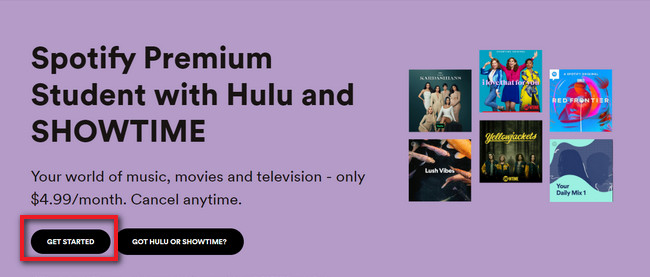
Step 1 Directly go to https://www.spotify.com/us/student/ and click the "Get Started" button.
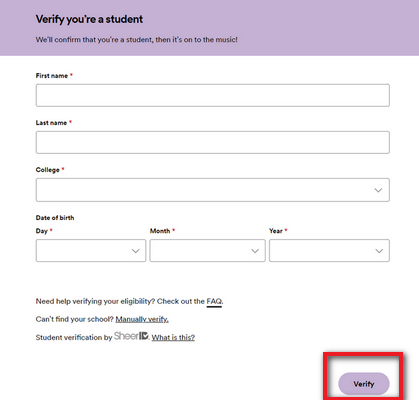
Step 2 Fill in the required info in the form, and "Verify".
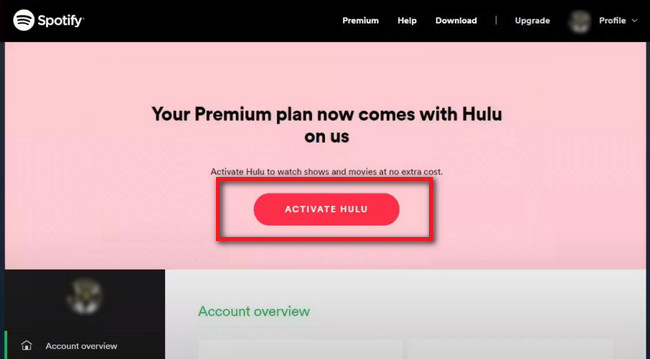
Step 3 Open your Spotify profile and simply click "Activate Hulu".
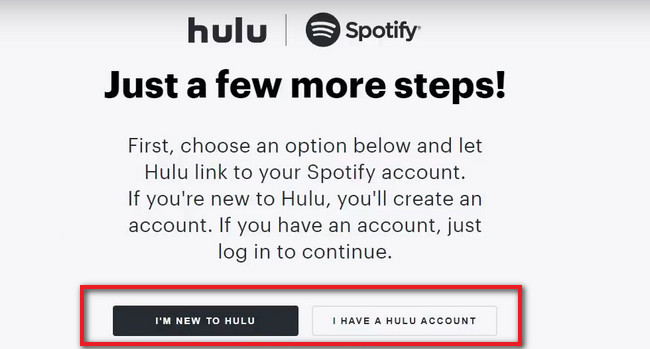
Step 4 After that, you'll get into the Hulu login page. Choose "I'M NEW TO HULU" or "I HAVE A HULU ACCOUNT" to link your Hulu account to Spotify Student Premium.
Now, you've successfully activated the free Hulu subscription with Spotify Premium Student account. Let's start to enjoy your favorite music and movies on both excellent services.
As you all know, the Spotify and Hulu Bundle will be valid for up to 4 years. So what if the subscription expired? Can you keep the downloaded Spotify tracks playable after your subscription ends? Sadly, the answer is no. Your account will revert to Spotify Free and cannot enjoy the offline download feature.
This can be frustrating, however, here's still a shortcut to fix this limitation. All you need is to use NoteBurner Spotify Music Converter to download your favorite songs and albums from Spotify to computer. Once they're downloaded, you'll be able to listen to Spotify tracks even if you're not connected to the internet, and no need to pay for the Spotify Premium plan.
See also: How to Save Hulu Video on Computer Forever?

In the following part, we will be showing you how to use NoteBurner to convert Spotify music to MP3, AAC, FLAC, WAV, AIFF, or ALAC format with ID3 tags and high-quality retained. Follow the steps below to download and keep Spotify content forever.
Download, install and open NoteBurner on your Windows or Mac computer. If you select "Spotify App" conversion mode, you'll see that the Spotify app will be launched as well.
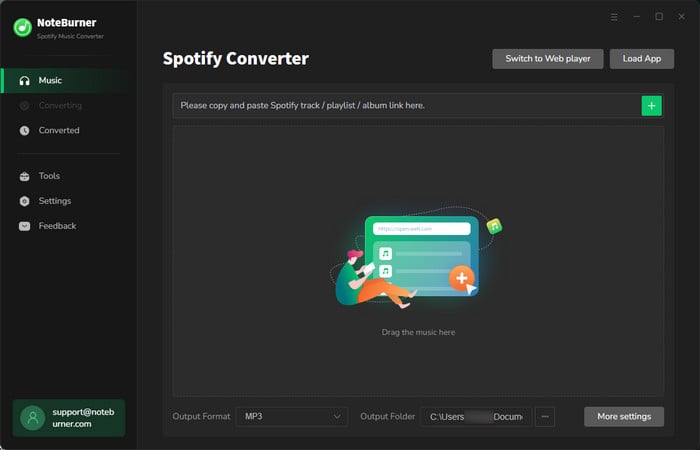
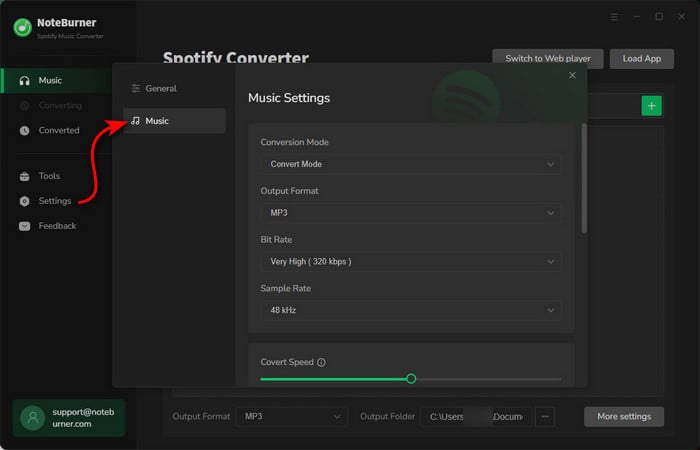
Click the Settings icon to choose conversion mode, output format, output quality, output folder, and so on.
Note: For the Conversion Mode setting, if you choose "WebPlayer Download", NoteBurner will pop up the Spotify web player and ask you to log into your music account. But be aware that NoteBurner will not take any other information from your account other than the songs.
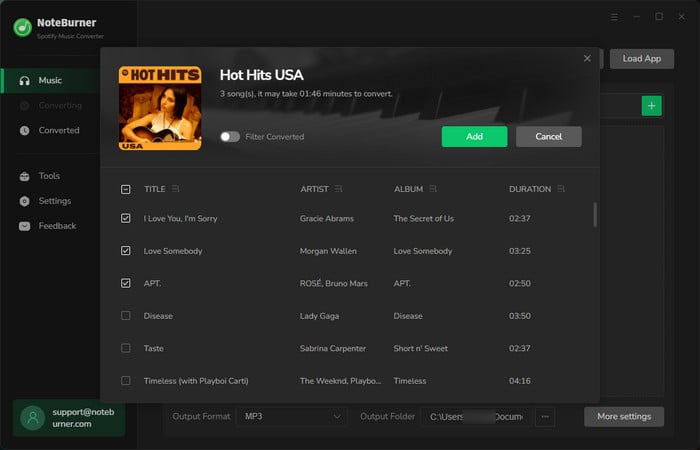
Simply drag and drop the music songs, playlists, or albums from the Spotify app to NoteBurner's main interface. Once done, NoteBurner will list all songs you chose.
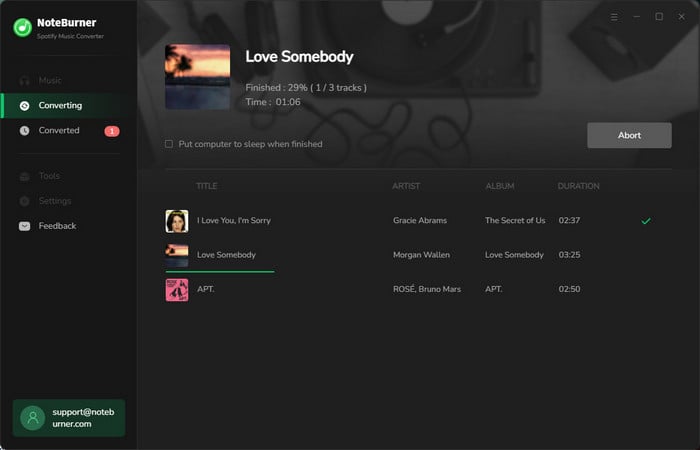
Now that you're ready to get Spotify songs offline even without Premium account. Click "Convert" to start the process, be aware that NoteBurner allows converting Spotify songs at 10X speed.
Once converted, go to the "History" tab and you'll find all the download history. Hover over the list and click the "Folder" icon, a pop-up computer folder explore will show you all the downloaded Spotify music files.
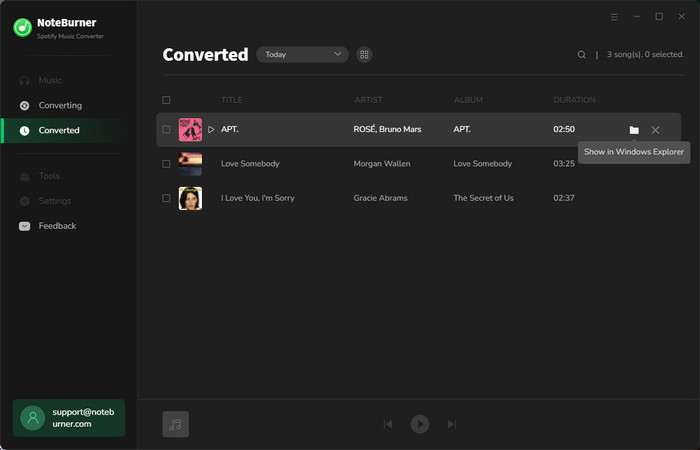
Now, you've successfully downloaded Spotify tracks to local drive and you could keep them playable forever.
Disclaimer: For personal/educational use only. 🚫 Do not distribute downloaded music/video for commercial use.
Spotify and Hulu have partnered to offer an exclusive Spotify and Hulu bundle, which includes a Spotify Premium Student plan and Hulu (With Ads) — all at a discounted price for eligible students. Activating your free Hulu subscription through Spotify is straightforward. Follow the step-by-step tutorial in Part 2 of this page to get started in just a few minutes.
If you'd like to keep your Spotify downloads playable after your Spotify Premium Student plan ends, you can use NoteBurner Spotify Music Converter to save your favorite tracks as local music files that remain accessible anytime, even without a subscription.
Note: The free trial version of NoteBurner Spotify Music Converter is limited to convert the first 1 minute of each song. You can buy the full version to unlock the limitation.



One-stop music converter for Spotify, Apple Music, Amazon Music, Tidal, YouTube Music, etc.

Convert Apple Music, iTunes M4P Music, or Audiobook to MP3, AAC, WAV, AIFF, FLAC, and ALAC.

Convert Amazon Music to MP3, AAC, WAV, AIFF, FLAC, and ALAC with up to Ultra HD quality kept.

Convert Tidal Music songs at 10X faster speed with up to HiFi & Master Quality Kept.

Convert YouTube Music to MP3, AAC, WAV, AIFF, FLAC, and ALAC at up to 10X speed.

Convert Deezer HiFi Music to MP3, AAC, WAV, AIFF, FLAC, and ALAC at 10X faster speed.

Transfer playlist between Spotify, Apple Music, Amazon Music, YouTube Music, and more.




 What's next? Get the full version of NoteBurner Spotify Music Converter now!
