
 By
By
Amazon Music Unlimited offers a massive library of over 100 million songs, but there's a catch — once your subscription ends, all your downloads disappear. The only way to truly keep your music is to convert Amazon Music to MP3, so you can play your favorite tracks on any device, anytime, without relying on an active subscription.
In this guide, we'll walk you through the easiest way to do it using NoteBurner Amazon Music Converter — a dedicated tool that lets you download and convert songs from Amazon Music Unlimited to MP3, AAC, FLAC, WAV, and more, with full HD audio quality preserved.
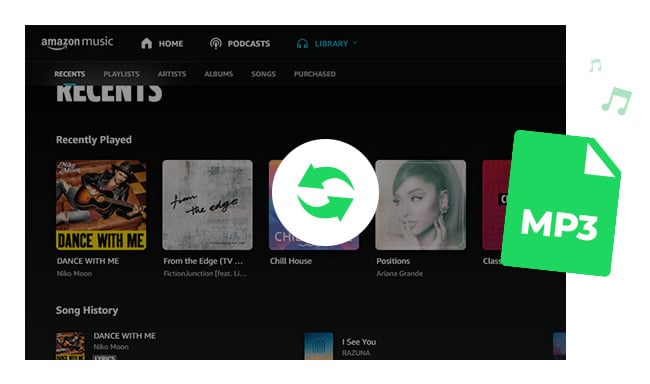
Amazon Music Unlimited is a premium streaming service from Amazon, offering over 100 million songs in HD and Ultra HD quality. It's available on a range of plans to suit different needs:
You can try it free with a 30-day free trial before committing to a paid plan. The service lets you stream on demand, skip unlimited songs, and download tracks for offline playback — but keep in mind that downloaded songs are locked to the app and cannot be played once your subscription ends.
To convert Amazon Music Unlimited songs to MP3 format, an efficient Amazon Music converter is required. Here you are recommended to use NoteBurner Amazon Music to MP3 Converter. It is a professional audio downloader, designed specifically for Amazon users to download or record any songs, albums or playlist from Amazon Music Unlimited to MP3/AAC/WAV/FLAC/AIFF/ALAC format.
It is able to export your Amazon Music as MP3 files at 10X faster speed with lossless output audio quality (HD/Ultra HD) while keeping the ID3 tags afte conversion. Now with the help of such a smart tool, you can easily get Amazon Music in MP3 format and keep them forever.


The program is available in both Windows and Mac version. Here we take the Windows version as an example to guide you to convert songs from Amazon Music Unlimited to MP3 format. Please download Amazon Music Converter first before getting started.
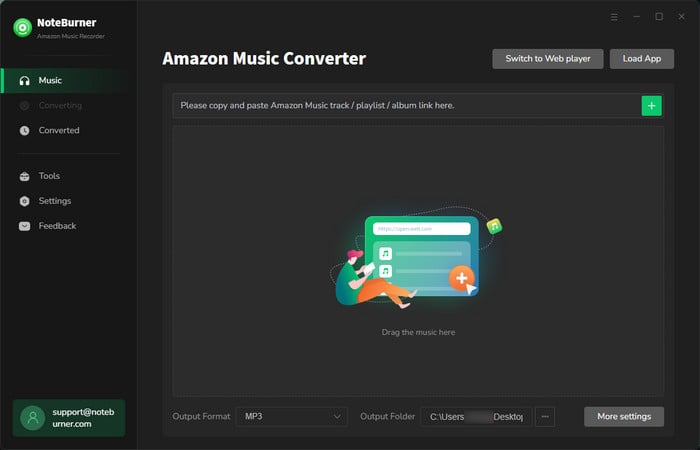
Run NoteBurner Amazon Music Converter on PC, choose the "Amazon Music App" download mode, and you'll find that the Amazon Music app is opened as well.
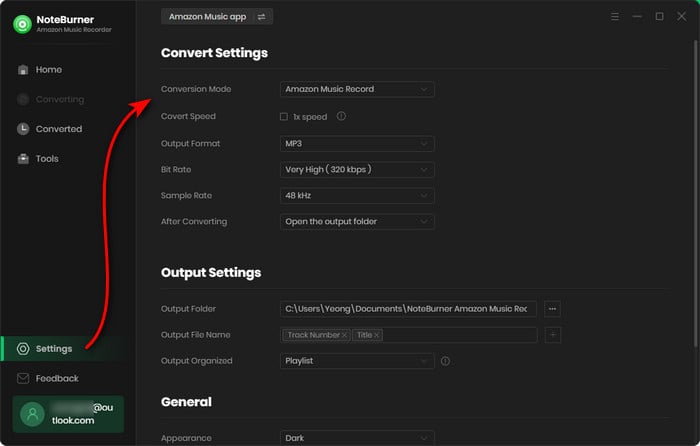
Click on the Settings button to customize the output settings: Output Format (Auto/MP3/AAC/WAV/FLAC/AIFF/ALAC), Bit Rate (320kbps, 256kbps, 192kbps, 128kbps), Sample Rate, and Output Path. Here please select MP3 as output format.
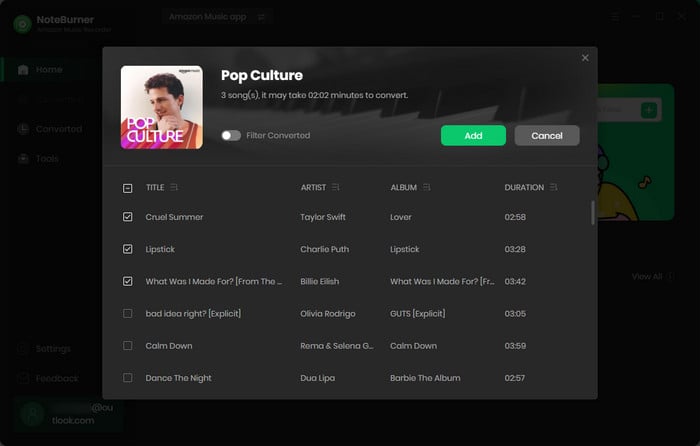
Drag and drop the playlist, artist or album from Amazon Music app to NoteBurner, then select the Amazon Music songs that you'd like to convert.
After completing the above steps, the final one is clicking the button "Convert". Just a few second, it will succeed.
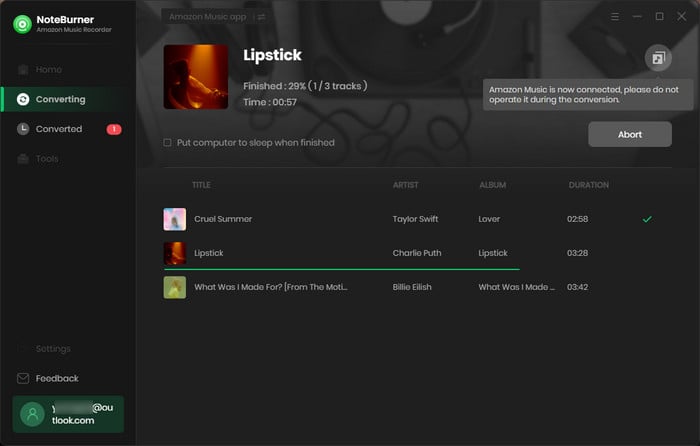
Once the conversion is done, you can find the converted Amazon songs in MP3 format by clicking the History button on the left side or just opening the output folder.
 What's next? Download NoteBurner Amazon Music Converter now!

Download Amazon Prime TV shows or movies to MP4 or MKV in HD quality.

One-stop music converter for Spotify, Apple Music, Amazon Music, Tidal, YouTube Music, etc.

Convert Spotify Song, Playlist, or Podcast to MP3, AAC, WAV, AIFF, FLAC, and ALAC.

Convert Apple Music, iTunes M4P Music, or Audiobook to MP3, AAC, WAV, AIFF, FLAC, and ALAC.

Convert Tidal Music songs at 10X faster speed with up to HiFi & Master Quality Kept.

Convert YouTube Music to MP3, AAC, WAV, AIFF, FLAC, and ALAC at up to 10X speed.

Convert Deezer HiFi Music to MP3, AAC, WAV, AIFF, FLAC, and ALAC at 10X faster speed.

Transfer playlist between Spotify, Apple Music, Amazon Music, YouTube Music, and more.




