
YouTube Music continues to be a dominant force in the music streaming landscape of 2026, offering access to an unparalleled library of official tracks, live performances, and AI-curated remixes. While the free tier remains a popular entry point, YouTube Music Premium is essential for those seeking an ad-free, high-fidelity experience with offline capabilities. In this updated 2026 guide, we'll break down four primary YouTube Music subscription plans, their current costs, and how to choose the one that suits your listening needs.
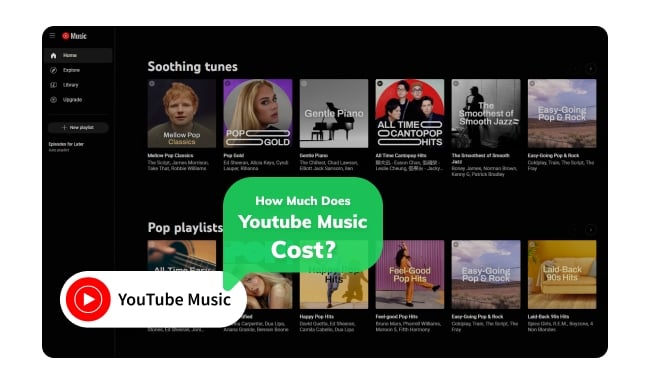
As of early 2026, YouTube Music's pricing has remained relatively stable following the industry-wide adjustments of previous years.
YouTube Music Free is a version of YouTube Music that you can use without paying anything. Here's what you get and some limitations you will encounter:
At $11.99/month, this is the standard for solo listeners. In 2026, this plan now includes Advanced AI DJ features, allowing you to generate custom radio stations via text prompts.
Priced at $5.99/month, this remains the best value for eligible higher-education students. You'll need to verify your student status via SheerID annually.
The Family Plan costs $18.99/month and allows the primary account holder to invite up to 5 additional family members (6 people total).
Here we compare the similarities and differences among YouTube Music, Spotify and Apple Music to help you choose the best streaming music service that suits you. Learn More →
Each YouTube Music plan caters to different user needs. To help you directly compare the main differences between YouTube Music plans, here is a detailed table:

Hunting for free YouTube to MP3 telegram bots? Utilizing one of the best YouTube Telegram bots to download YouTube music or videos to MP3 with 320kbps.Learn More →
After reading the table above, you will have a comprehensive understanding of the features and costs of each YouTube Music subscription plan. And as for the best subscription plan, it depends on your needs.
1. YouTube Music Free is best for casual listeners who don't mind ads and primarily listen on a desktop where background play is less of an issue.
2. YouTube Music Premium is tailored for a better music experience. With this plan, you'll have access to all the features YouTube Music offers, such as ad-free streaming, offline playback, and seamless integration between the mobile app and your car using CarPlay or Android Auto.
3. YouTube Music Student is perfect for students who are looking for a budget-friendly way to enjoy all the features of YouTube Music Premium.
4. YouTube Music Family is unbeatable for household. At $18.99 for 6 people, the cost breaks down to less than $3.165 per person.
The YouTube Music Free plan does not support downloading YouTube Music to your devices for offline playback. If you're in an area without internet access, such as on a plane or in a remote location, you won't be able to listen to your YouTube Music playlists. Fortunately, you can use NoteBurner YouTube Music Converter to help you download YouTube Music songs for offline listening. With NoteBurner, you can convert YouTube Music playlists to MP3, AAC, WAV, FLAC, AIFF, or ALAC format with the original audio quality. The converted songs can also be transferred to USB drives, MP3 players, DJ apps, and more.


Step 1 Launch NoteBurner YouTube Music Converter on your Windows PC or Mac.
Step 2 Click the "Settings" icon to customize your preferred output format such as MP3, AAC, FLAC, WAV, AIFF, or ALAC. You can also set the bit rate, output folder and file name.
Step 3 Open the YouTube Music web player and click the "+ Add" button to add the song, album, or playlist you want to download.
Step 4 Click the "Convert" button. The NoteBurner app will start downloading and converting the selected music.
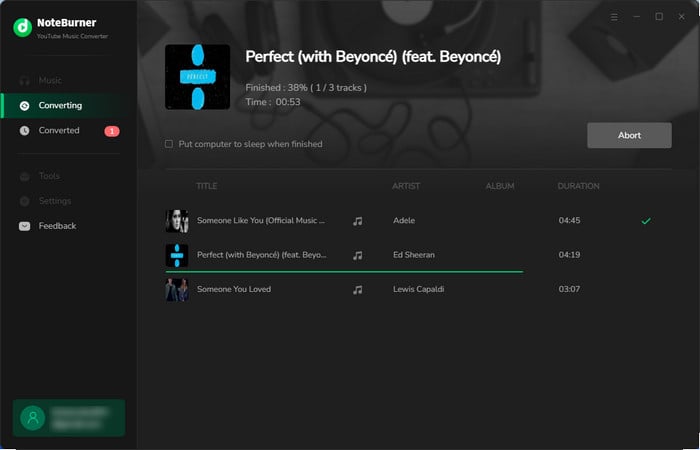
Step 5 You'll see the conversion progress on the screen. Once done, go to the "History" or open the output folder you set to find your downloaded YouTube Music songs.
Disclaimer: For personal/educational use only. 🚫 Do not distribute downloaded music/video for commercial use.
Yes, YouTube Music offers a free version of its service that allows users to access its music library but occasionally features unskippable ads. While the free version doesn't offer premium features, it still allows you to create playlists, discover new music to your liking, and enjoy music videos.
If you choose to cancel your YouTube Music subscription, you will not have access to premium features such as ad-free listening and offline playback. Note that once you cancel your subscription, any offline listening music downloaded through the subscription will no longer be accessible.

Here are a few methods to close your YouTube Music Premium subscription or YouTube Music Premium Free Trial. You'll also learn to keep YouTube Music forever after canceling Premium. Learn More →
In April 2026, YouTube Music Premium increased its U.S. subscription prices, while continuing to expand its features and offerings:
While YouTube Premium only offers a one-month free trial, users can get up to six months of free trials from select phone brands and services. Don't miss the following hidden opportunity to get your YouTube Music Premium for free!

Excellent! Now you can join into YouTube Premium Free Trial for up to 6 months! Go get the methods in this article. Learn More →
1. Go to youtube.com/paid_memberships on a web browser.
2. Click Get family plan.
3. Click Get family plan again.
4. Click Upgrade.
5. Set up your Google family group.
Simply put, if you want to enjoy both music and videos, YouTube Premium is the best choice. But if you mainly focus on music and don't care much about videos, YouTube Music Premium will save you some money while still satisfying you. For more details, please refer to the article below.
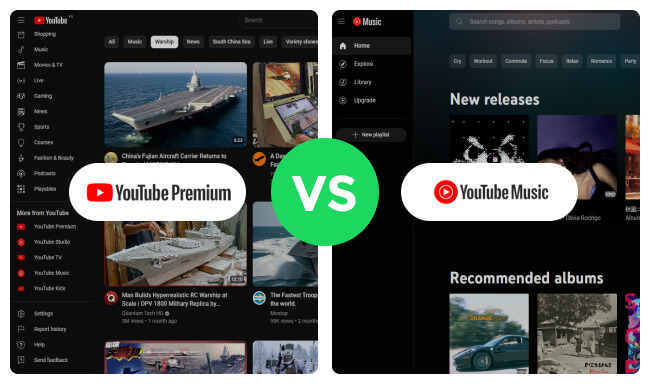
Here you will get the differences between YouTube Premium and YouTube Music Premium. YouTube Premium is a better bargain. Learn More →
As of 2026, YouTube Music prices have remained largely stable. The Individual Plan is $11.99/month, the Student Plan is $5.99/month, and the Family Plan is $18.99/month. This article not only covers the cost of YouTube Music and key differences between subscription plans, but also guides you in choosing the plan that best fits your needs. Notably, this article also discusses how to utilize NoteBurner to make it possible to play YouTube Music offline with free account.
Note: The free trial version of NoteBurner YouTube Music Converter allows you to convert the first 1 minute of each song. You can buy the full version to unlock this limitation and enable all its features.




